
Organize · Pro
Quick Capture Groups
Start a named capture session directly from the Capture menu. New screenshots and recordings collect together, and membership can change without moving the original files.
Screenshot & recording search for macOS
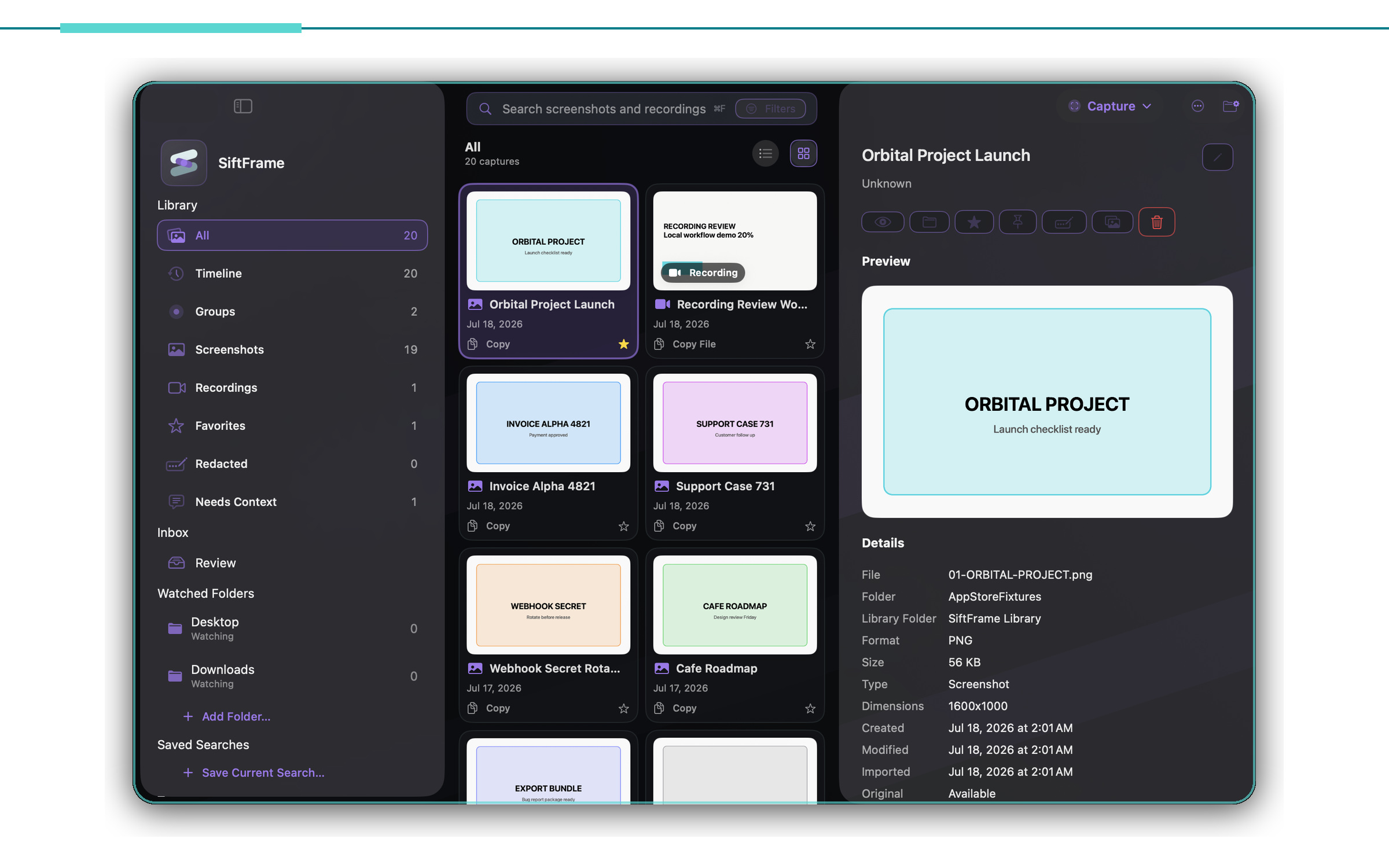
SiftFrame is a private screenshot and screen recording search app for Mac. Find a capture by the words visible on screen, redact what should stay private, and keep recognition and indexes on your Mac.
Free to start · macOS 14 or later· Pro is a one-time purchase
01 / The idea
The useful part of a capture is rarely its filename. It is the invoice number, meeting title, code fragment, or half-remembered sentence inside the frame. SiftFrame recognizes that text on your Mac and makes it searchable alongside the context you add.
02 / Recordings
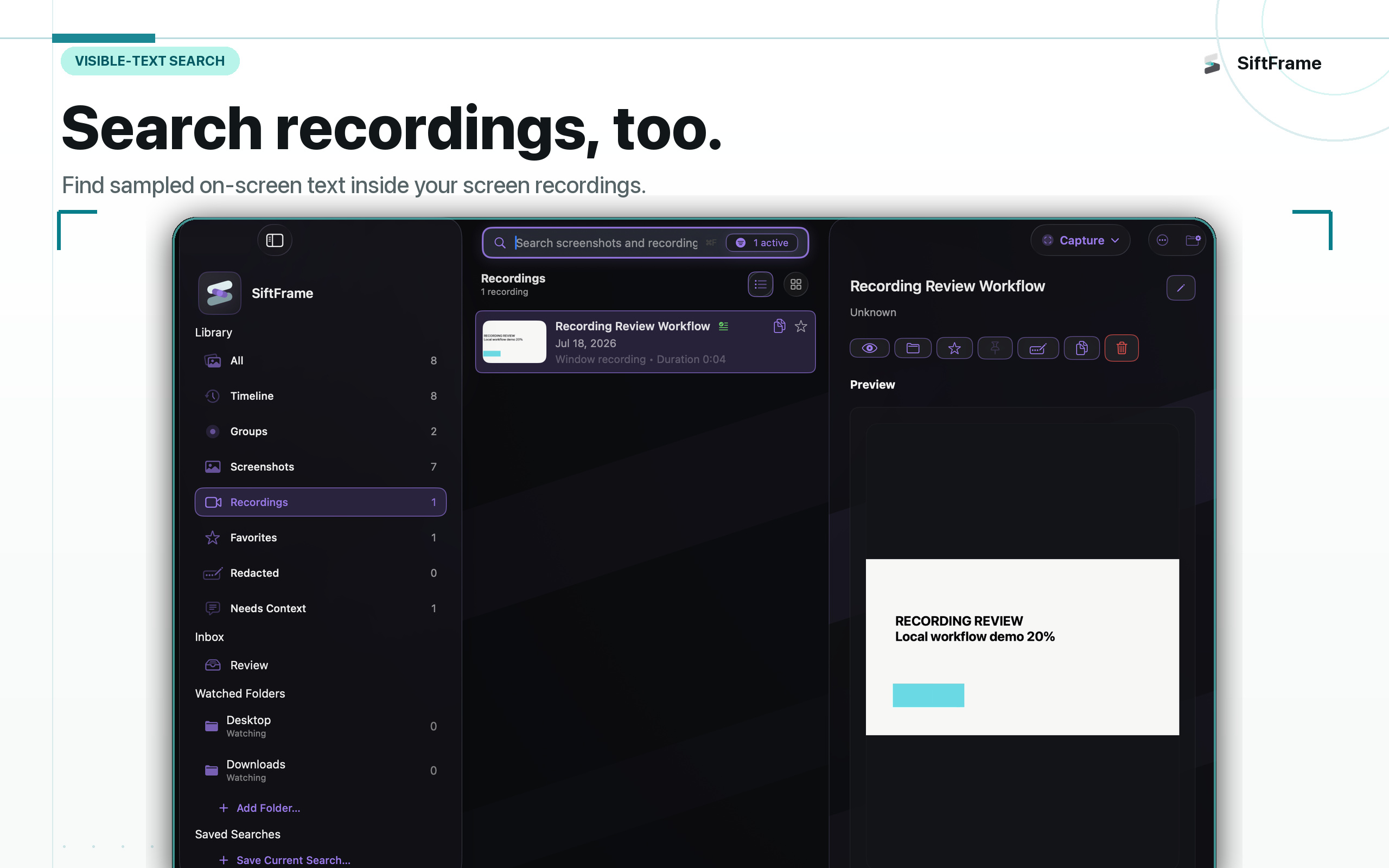
SiftFrame samples the visible moments inside supported screen recordings and recognizes their on-screen text. A phrase can take you back to the relevant frame instead of leaving you to scrub through the whole video.
Screenshots and recording frames live in the same searchable library, while the source material stays on your Mac.
03 / Retrieve
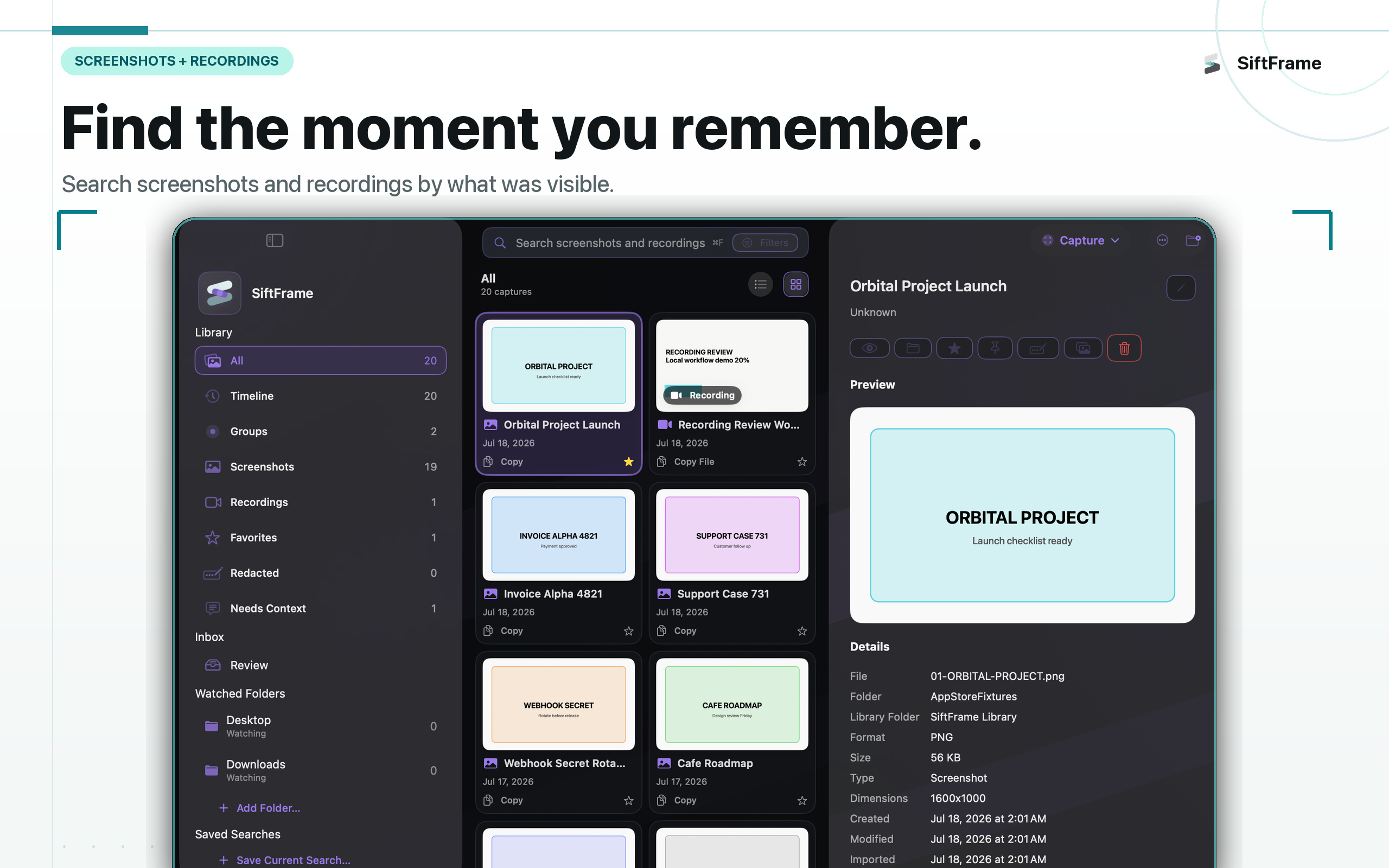
Search recognized text, titles, notes, sources, dates, tags, and sampled recording frames. SiftFrame turns an overgrown screenshots folder into a visual library you can search by the clue you actually remember.
04 / Privacy
Your screen history should not need an account.
Captures, recognized text, notes, indexes, and search history stay on your Mac. SiftFrame has no cloud library, analytics, ad SDKs, or third-party AI service. You decide when something is exported or shared.
Read the privacy policy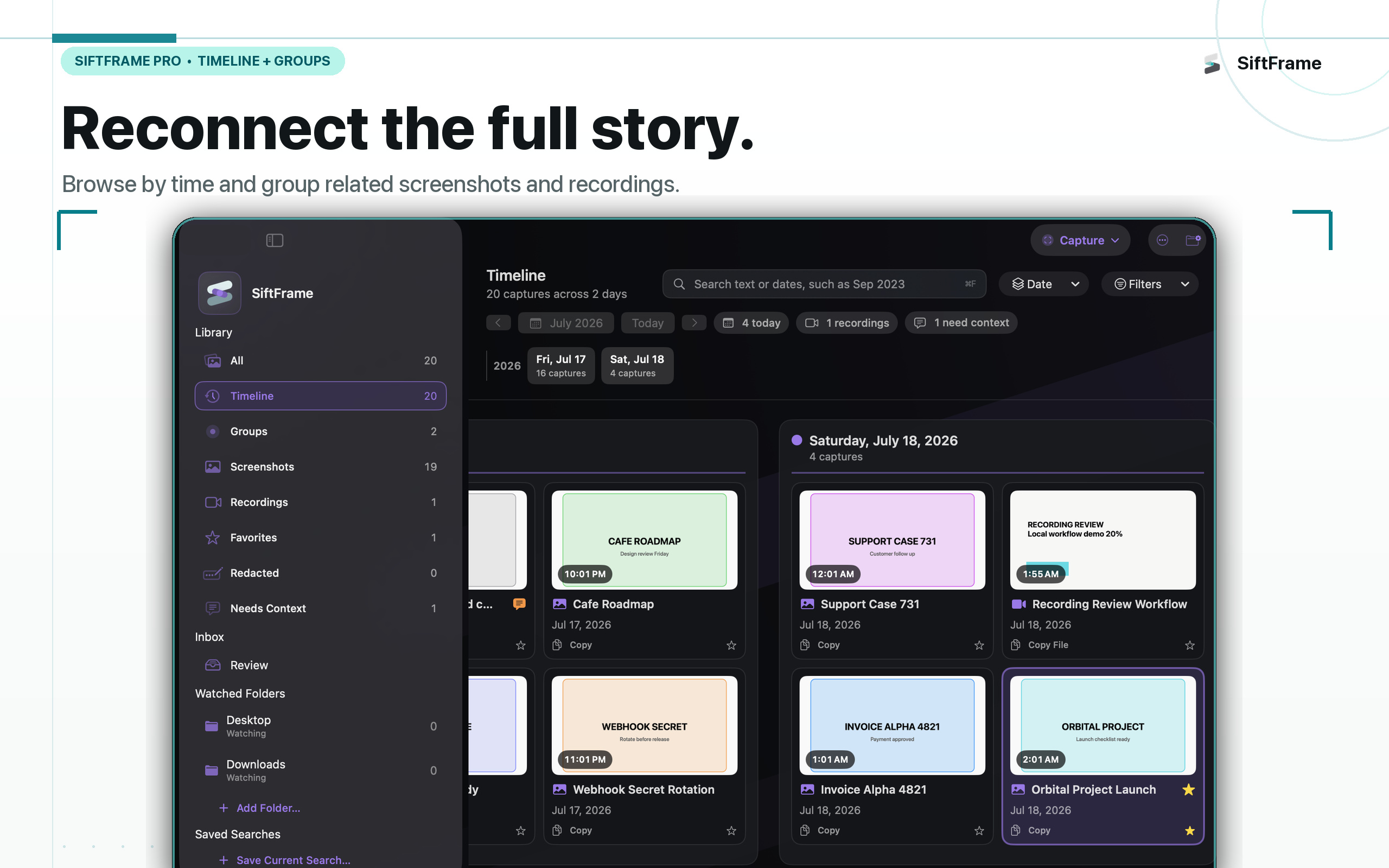
05 / The full workflow
Organize · Pro
Start a named capture session directly from the Capture menu. New screenshots and recordings collect together, and membership can change without moving the original files.
Browse · Pro
Move through a calendar-guided visual history, search exact dates, and group captures by source app, tag, media type, review state, or capture session.
Import
Add a watched folder and opt into indexing screenshots in its subfolders. Hidden and package folders stay out, while overlapping watched roots avoid duplicate ownership.
Capture · Pro
Draw a transparent freeform shape or place precise polygon points for screenshots and supported recordings, alongside display, window, area, timed, and last-region modes.
Privacy · Pro
Find likely sensitive text on-device, review every suggestion, and export a protected copy while the original stays untouched.
Recordings · Pro tools
Recognize visible text in sampled screen-recording frames and return to the on-screen moment you need—not just a filename. Pro adds recording markers and auto-chapters.
Shortcuts · Pro presets
Launch core capture and workflow actions from the keyboard. Pro adds Capture Presets for repeatable destination, naming, preview, pointer, and capture-mode choices.
Review · Pro tools
Pin a capture above your work as an adjustable reference. Pro adds multiple references and side-by-side screenshot and recognized-text comparison without changing either original.
Free + Pro
Build a useful local library before you pay. Upgrade when you want an unlimited library, deeper organization, advanced capture, Smart Redaction, and the full review workspace.
View on the Mac App StoreFree
Pro · one-time purchase
SiftFrame for Mac
Private capture and search, built around the way screenshots are actually used.
Download SiftFrame